
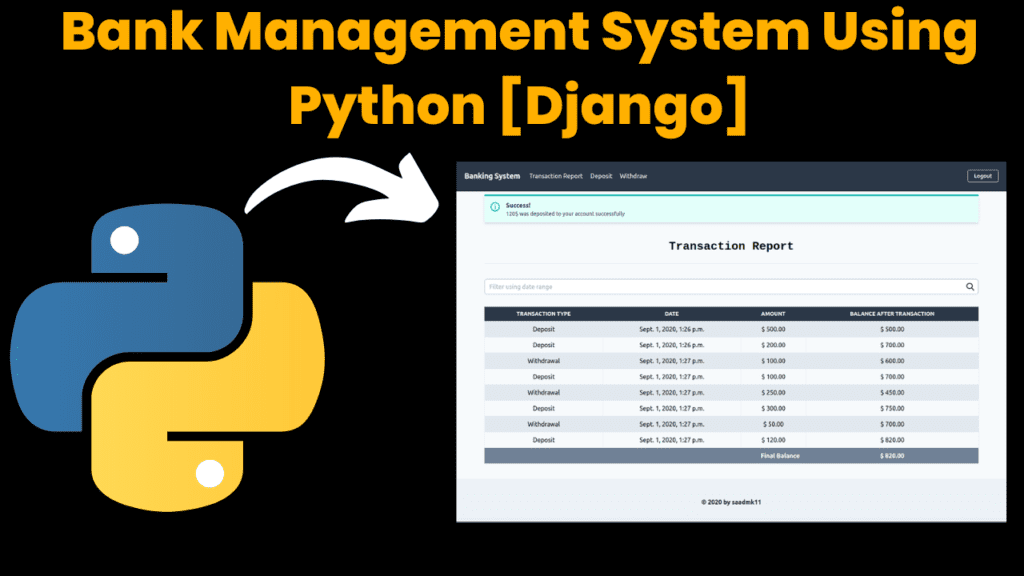
Bank Management System Using Python Django
Introduction
The Bank Management System V2.0.2 is a feature-rich online banking solution built using the Python Django web framework. This system automates core banking processes, including account management, deposits, withdrawals, interest calculations, and transaction reporting. Designed for both scalability and efficiency, the system leverages tools like Redis and Celery for background task processing and scheduled operations.
The primary aim of this system is to simplify banking operations while providing users with a smooth and modern interface powered by Tailwind CSS. By supporting multiple account types (e.g., Savings and Current), imposing transaction restrictions, and offering accurate balance updates, the system enhances the reliability of online banking.
Key Features:
Account Management:
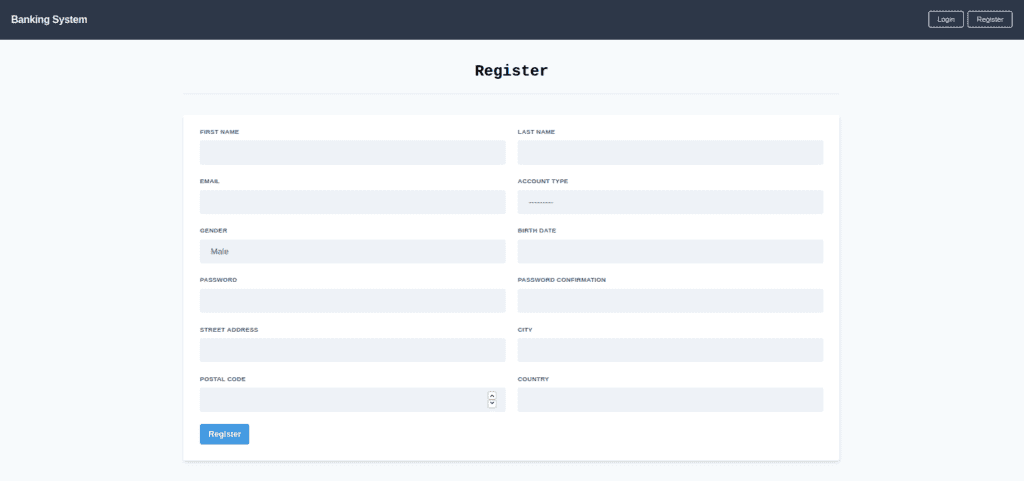
Users can create bank accounts (Savings or Current Accounts).
Deposits and Withdrawals:
Perform seamless deposit and withdrawal operations with transaction restrictions.
Interest Calculation:
Accurate monthly interest calculation based on the account type.
Scheduled tasks using Celery ensure timely interest computation.
Transaction Reports:
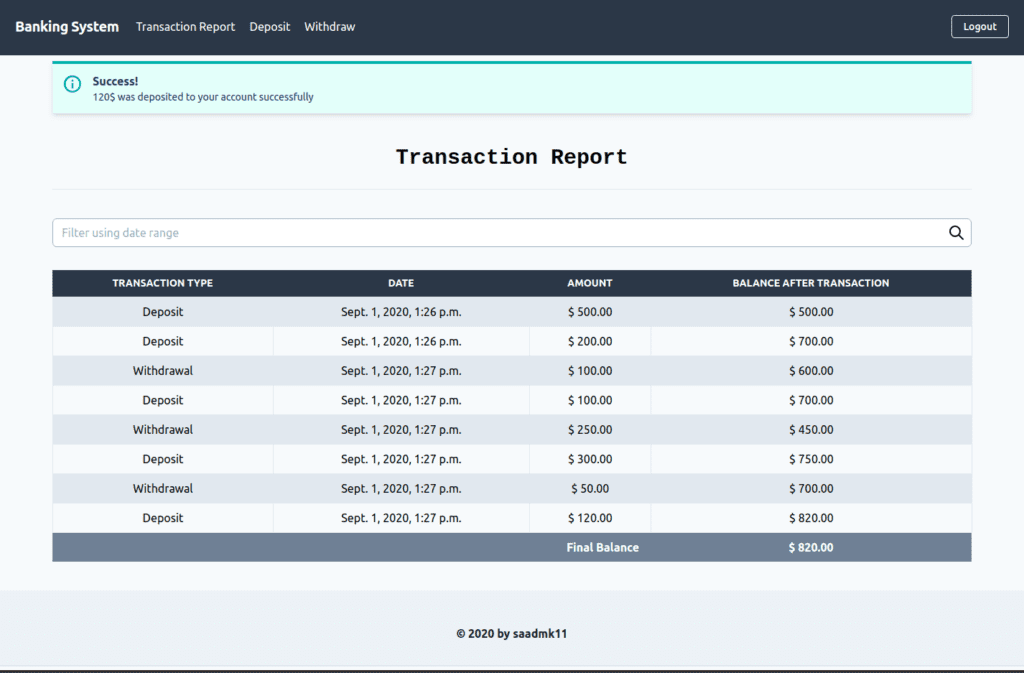
View transaction history with date range filtering.
Track balance updates after every transaction.
Modern UI:
Intuitive and responsive user interface using Tailwind CSS.
Scheduled Tasks:
Celery handles scheduled updates for monthly interest and balance adjustments efficiently.
This system is perfect for developers looking to explore Django’s capabilities in building reliable web-based financial applications.
How to Run the Code
To run the Bank Management System locally, follow these steps:
Prerequisites:
Ensure the following tools and software are installed on your system:
Python >= 3.7
Redis Server
Git
pip
Virtualenv
Steps to Setup:
Install Redis Server: Follow the Redis Quick Start Guide to install Redis. Start the Redis server:
redis-serverCreate a Virtual Environment: Use
virtualenvto set up an isolated Python environment:virtualenv venv source venv/bin/activateOr using
virtualenvwrapper:mkvirtualenv -p python3 bank_system workon bank_systemClone the Project: Clone the GitHub repository and navigate to the project directory:
git clone git@github.com:saadmk11/banking-system.git
cd banking-system
Install Dependencies: Install required Python packages from
requirements.txt:pip install -r requirements.txtApply Database Migrations: Initialize the database using Django migrations:
python manage.py migrateCreate Superuser: Create an admin account for managing the system:
python manage.py createsuperuserRun the Development Server: Start the local Django server:
python manage.py runserverAccess the application at
http://127.0.0.1:8000/.Run Celery Workers and Scheduler: Open separate terminal windows (activate the virtual environment in each terminal):
Start the Celery worker:
celery -A banking_system worker -l infoStart the Celery scheduler:
Code Explanation
The project uses the Django framework for backend development, along with Celery for background tasks and Redis for messaging.
1. Account Management:
The system supports Savings and Current accounts. The Account model stores account details:
class Account(models.Model):
    ACCOUNT_TYPES = (
        ('Savings', 'Savings Account'),
        ('Current', 'Current Account'),
    )
    user = models.OneToOneField(User, on_delete=models.CASCADE)
    account_type = models.CharField(max_length=10, choices=ACCOUNT_TYPES)
    balance = models.FloatField(default=0.0)
    created_at = models.DateTimeField(auto_now_add=True)

    def __str__(self):
        return f"{self.user.username} - {self.account_type}"
2. Deposits and Withdrawals:
The Transaction model handles deposit and withdrawal operations with balance updates:
class Transaction(models.Model):
    TRANSACTION_TYPES = (
        ('Deposit', 'Deposit'),
        ('Withdrawal', 'Withdrawal'),
    )
    account = models.ForeignKey(Account, on_delete=models.CASCADE)
    transaction_type = models.CharField(max_length=10, choices=TRANSACTION_TYPES)
    amount = models.FloatField()
    date = models.DateTimeField(auto_now_add=True)

    def save(self, *args, **kwargs):
        if self.transaction_type == 'Deposit':
            self.account.balance += self.amount
        elif self.transaction_type == 'Withdrawal':
            if self.amount > self.account.balance:
                raise ValueError("Insufficient balance")
            self.account.balance -= self.amount
        self.account.save()
        super().save(*args, **kwargs)
This ensures transactions are validated and balances are updated correctly.
3. Interest Calculation with Celery:
Interest calculation is automated using Celery tasks, which run at scheduled intervals:
from celery import shared_task
from .models import Account

@shared_task
def calculate_monthly_interest():
    for account in Account.objects.filter(account_type='Savings'):
        interest = account.balance * 0.03  # 3% monthly interest
        account.balance += interest
        account.save()
This task ensures savings accounts accrue interest at 3% monthly.
Provided Code
The full project structure includes:
accounts/: Handles user accounts and authentication.transactions/: Manages transactions like deposits and withdrawals.core/: Includes Celery configurations and scheduled tasks.templates/: Contains HTML templates for the user interface.
Notable files include:
manage.py: Django management script.requirements.txt: Python dependencies.banking_system/: Main project directory.
Get Discount on Top Educational Courses
Source Code
Output
More Projects:
URL Shortener Using Python Django
URL Shortener Using Python Django Introduction: Long URLs can be shortened into short, shareable links with the help of the URL Shortener project. Though it
User Authentication System Using Python Django
User Authentication System Using Python Django Introduction: The implementation of safe and adaptable user authentication in Django is the main goal of this project. It
E-Learning System Using JAVA
The E-Learning System using Java with a Graphical User Interface (GUI) Introduction The E-Learning System is developed using Java (with a Graphical User interface through
Weather App Using Python Django with Source Code
Weather App Using Python Django Introduction: When a user enters the name of a city, the Weather App retrieves current weather information. It provides temperature,
Quiz App Using Python Django with complete source code
Quiz App Using Python Django Introduction: Users can take quizzes in a variety of subjects, see their results, and monitor their progress with the Django
Resume Screener in python using GUI
resume screener in python using python introduction The hiring process often begins with reviewing numerous resumes to filter out the most suitable candidates for a
Get Huge Discounts

More Python Projects