
Speech to Text Converter using HTML, CSS and JavaScript With Source Code
Introduction :
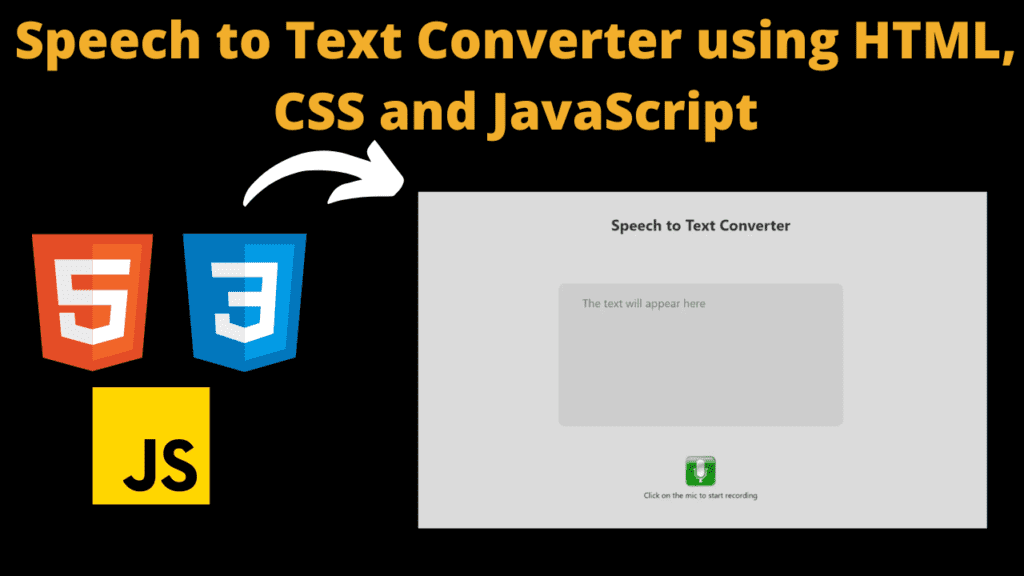
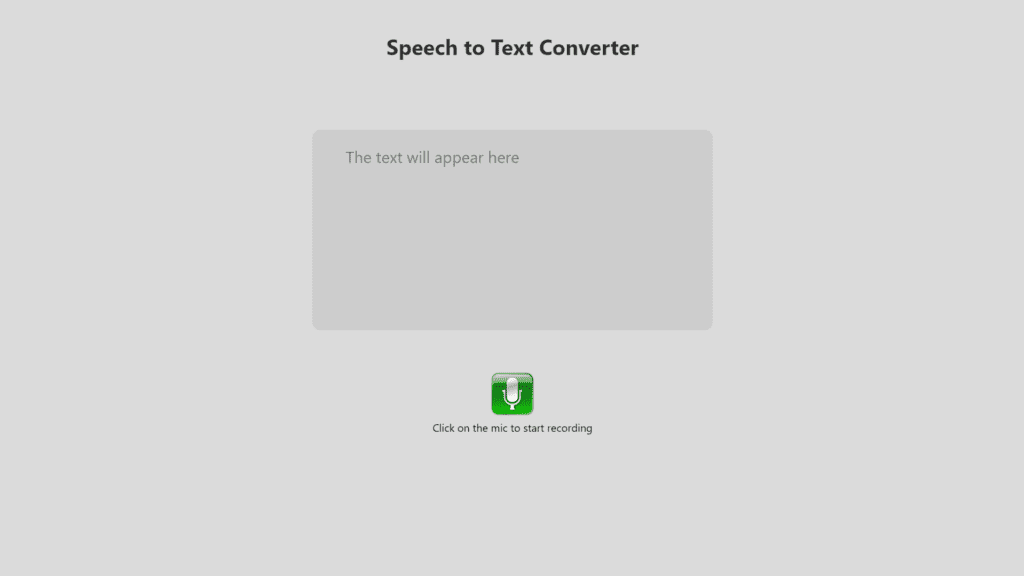
This project is a Speech to Text Converter, which allows users to convert spoken words into written text. It consists of an HTML page with a textarea to display the converted text and a button (represented by an image) to trigger the speech recognition functionality. The project uses HTML, CSS, and JavaScript to achieve this functionality. The HTML structure establishes a visually appealing and accessible interface. The inclusion of a strategically positioned textarea within a dedicated form element ensures a user-friendly display of the converted text. The design, further enriched by CSS styles, fosters a cohesive and responsive layout suitable for various devices. At the core of this innovation lies the JavaScript logic, orchestrating the entire speech-to-text conversion process. The speechToTextConversion function serves as the linchpin, orchestrating the setup and configuration of the SpeechRecognition object. This function not only dynamically toggles between the microphone and stop button but also actively listens for speech input events. The real-time feedback provided in the textarea, coupled with intelligent error handling, ensures a robust and seamless user experience.
Explanation :
HTML Structure :
<h1>: Heading displaying “Speech to Text Converter.”<div id="wrapper">: Container for the textarea.<form id="paper">: Form containing the textarea for displaying converted text.<div class="container">: Container for the play button and instructions.<img id="playButton">: Image acting as the play button.<span class="instruction">: Text with instructions.
JavaScript Logic :
- Variable
iis declared and initialized to 0. speechToTextConversionfunction is defined:- It checks for SpeechRecognition support and initializes a new SpeechRecognition object.
- Sets various properties like language, continuous recognition, etc.
- Defines a textarea element as
diagnostic. - Defines an onclick event for the play button image:
- If
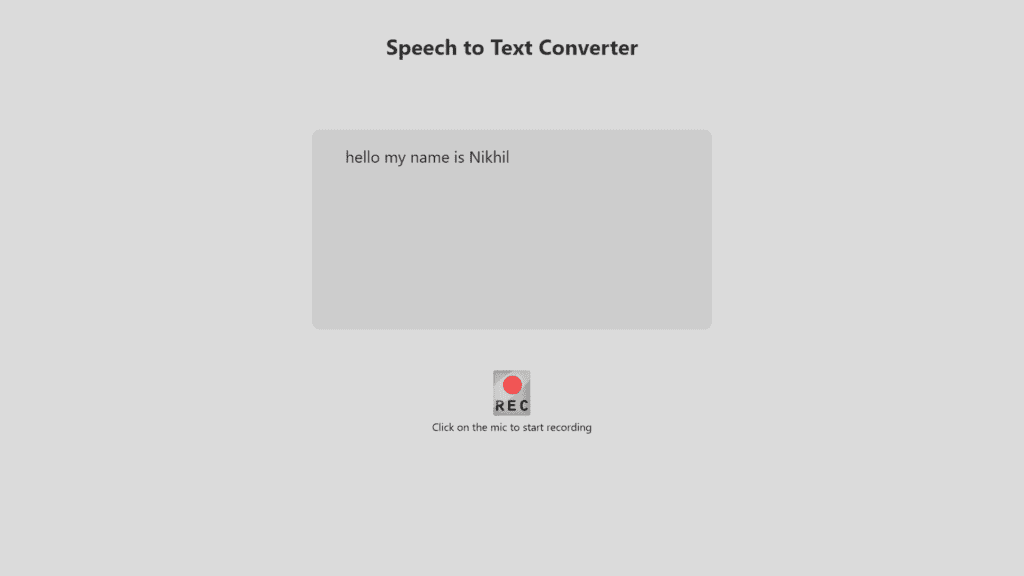
iis 0, it changes the image source to “record-button-thumb.png,” starts recognition, and updatesito 1. - If
iis 1, it changes the image source to “mic.png,” stops recognition, and updatesito 0. - Sets up event listeners for recognition events (
onresult,onnomatch,onerror). onresult: Updates the textarea with the recognized text.onnomatch: Updates the textarea with a message for unmatched speech.onerror: Updates the textarea with an error message.
Purpose of Functions:
speechToTextConversion Function:
- Initialization: Checks browser support and creates a SpeechRecognition object.
- Configuration: Sets properties for continuous recognition, language, etc.
- Element Retrieval: Retrieves the textarea element for displaying converted text.
- Button Click Handling: Toggles between starting and stopping recognition when the button is clicked.
Recognition Events Handling:
onresult: Updates the textarea with the recognized text and logs confidence to the console.onnomatch: Updates the textarea with a message for unmatched speech.onerror: Updates the textarea with an error message.
Variable i:
- Keeps track of the state of the button (whether it’s the first or second click). This helps in determining whether to start or stop the speech recognition process.
Source Code :
Get Discount on Top Educational Courses
HTML (index.html)
	<title>Speech to Text</title>


		<h1>Speech to Text Converter</h1>
		<div id="wrapper">

				<textarea id="text" name="text" rows="4" style="overflow: hidden;height: 160px"></textarea>

		</div>

		<div class="container">
			<br><br><br>
			<img decoding="async" id="playButton" class="playButton" src="mic.png">
			<br>
			<span class="instruction">
				Click on the mic to start recording
			</span>
		</div>
CSS (style.css)
					body {
	background-color: #dbdbdb;

}

.container {
	position: block;
	z-index: 3;
	top: 40%;
	left: 5%;
	opacity: 1;

}

h1 {
	margin-top: 3rem;
	font-family: 'Segoe UI', Tahoma, Geneva, Verdana, sans-serif;
	opacity: .8;
}

.playButton {
	position: inline;
	height: 70px;
	width: 70px;
}

.playButton:hover {
	box-shadow: 0 6px 20px 0 #00ff15;
}

.submitButton {
	position: relative;
	width: 30%;
	border: none;
	font-size: 28px;
	color: black;
	padding: 10px;
	width: 1rem;
	text-align: center;
	-webkit-transition-duration: 0.4s;
	transition-duration: 0.4s;
	text-decoration: none;
	overflow: hidden;
	cursor: pointer;
	border-radius: 10px 10px 10px 10px;

}

.submitButton:hover {
	box-shadow: 0px 7px 1px 0px rgba(0, 0, 0, 0.0), 0 6px 20px 0 rgba(0, 0, 0, 0.19);

}

.submitButton:after {
	content: "";
	display: block;
	position: absolute;
	padding-top: 300%;
	padding-left: 350%;
	margin-left: -20px !important;
	margin-top: -120%;
	opacity: 0;
	transition: all 0.8s
}

.submitButton:active:after {
	padding: 0;
	margin: 0;
	opacity: 1;
	transition: 0s;
}

.recogText {
	position: block;
	top: 70%;
	left: 5%;
	right: 5%;
	height: 100%;
	width: 99.3%;
	font-size: 25px;
}


#paper {
	font-size: 20px;
	z-index: 2;
}

#margin {
	margin-left: 12px;
	margin-bottom: 20px;
	-webkit-user-select: none;
	-moz-user-select: none;
	-ms-user-select: none;
	-o-user-select: none;
	user-select: none;
}

#text {
	width: 500px;
	height: 1000px;
	overflow: hidden;
	background-color: #cdcdcd;
	border: none;
	color: #222;
	font-family: 'Segoe UI', Tahoma, Geneva, Verdana, sans-serif;
	font-weight: normal;
	font-size: 24px;
	resize: none;
	line-height: 40px;
	padding-left: 50px;
	padding-right: 50px;
	padding-top: 20px;
	padding-bottom: 120px;
	-webkit-border-radius: 12px;
	border-radius: 12px;
	margin-top: 5rem;
}

#title {
	background-color: transparent;
	border-bottom: 3px solid #FFF;
	color: #FFF;
	font-size: 20px;
	font-family: Courier, monospace;
	height: 28px;
	font-weight: bold;
	width: 220px;
}

.instruction {
	font-family: 'Segoe UI', Tahoma, Geneva, Verdana, sans-serifS;
}

#button {
	cursor: pointer;
	margin-top: 20px;
	float: right;
	height: 40px;
	padding-left: 24px;
	padding-right: 24px;
	font-family: Arial, Helvetica, sans-serif;
	font-weight: bold;
	font-size: 20px;
	color: red;
	text-shadow: 0px -1px 0px #000000;
	-webkit-border-radius: 8px;
	border-radius: 8px;
	border-top: 1px solid #FFF;
	-webkit-box-shadow: 0px 2px 14px #000;
	box-shadow: 0px 2px 14px #000;
	background-color: #62add6;
	background-image: url(https://static.tumblr.com/maopbtg/ZHLmgtok7/button.png);
	background-repeat: repeat-x;
}

#button:active {
	zoom: 1;
	filter: alpha(opacity=80);
	opacity: 0.8;
}

#button:focus {
	zoom: 1;
	filter: alpha(opacity=80);
	opacity: 0.8;
}

#wrapper {
	width: 700px;
	height: auto;
	margin-left: auto;
	margin-right: auto;
	margin-top: 24px;
	/* margin-bottom: 100px; */
}


.th {
	position: absolute;
	transition: transform .2s;
	top: 200px;
	font-family: Segoe Print;
	left: 50px;
	color: yellow;
	-ms-transform: rotate(278deg);
	transform: rotate(342deg);
	text-shadow: 1px 3px #8CF7F2;
	font-size: 25px;
	-webkit-animation: glow 1s ease-in-out infinite alternate;
	-moz-animation: glow 1s ease-in-out infinite alternate;
	animation: glow 1s ease-in-out infinite alternate;

}

.th:hover {

	transform: scale(1.1);
	-ms-transform: rotate(278deg);
	/* IE 9 */
	transform: rotate(350deg);
	font-size: 40px
}

.blink {
	animation: blinker 1s linear infinite;
	color: yellow;
	font-size: 26px;
	font-weight: bold;
	font-family: cursive;
}

@keyframes blinker {
	50% {
		opacity: 0;
	}
}
JavaScript (script.js)
					var i = 0;


function speechToTextConversion() {
	var SpeechRecognition = SpeechRecognition || webkitSpeechRecognition

	var SpeechRecognitionEvent = SpeechRecognitionEvent || webkitSpeechRecognitionEvent

	var recognition = new SpeechRecognition();

	recognition.continuous = true;
	recognition.lang = 'en-IN';
	recognition.interimResults = true;
	recognition.maxAlternatives = 1;

	var diagnostic = document.getElementById('text');


	var i = 0;
	var j = 0;
	document.getElementById("playButton").onclick = function () {
		if (i == 0) {
			document.getElementById("playButton").src = "record-button-thumb.png";
			recognition.start();
			i = 1;
		}
		else {
			document.getElementById("playButton").src = "mic.png";
			recognition.stop();
			i = 0;
		}
	}
	recognition.onresult = function (event) {
		var last = event.results.length - 1;
		var convertedText = event.results[last][0].transcript;
		diagnostic.value = convertedText;
		console.log('Confidence: ' + event.results[0][0].confidence);
	}

	recognition.onnomatch = function (event) {
		diagnostic.value = 'I didnt recognise that.';
	}
	recognition.onerror = function (event) {
		diagnostic.value = 'Error occurred in recognition: ' + event.error;
	}
};
Conclusion :
Your project effectively combines HTML, CSS, and JavaScript to create a simple Speech to Text Converter with a clean and user-friendly interface. Users can click the microphone button to start/stop speech recognition, and the recognized text is displayed in a textarea. The JavaScript logic ensures proper handling of recognition events and user interactions.
Output :
Find More Projects
URL Shortener Using Python Django Introduction: Long URLs can be shortened into short, shareable links with the help of the URL Shortener …
User Authentication System Using Python Django Introduction: The implementation of safe and adaptable user authentication in Django is the main goal of …

The E-Learning System using Java with a Graphical User Interface (GUI) Introduction The E-Learning System is developed using Java (with a Graphical …
Weather App Using Python Django Introduction: When a user enters the name of a city, the Weather App retrieves current weather information. …
Quiz App Using Python Django Introduction: Users can take quizzes in a variety of subjects, see their results, and monitor their progress …
resume screener in python using python introduction The hiring process often begins with reviewing numerous resumes to filter out the most suitable …
More HTML CSS JS Projects

Get Huge Discounts